
This post will show you what files and how to download them from your DS1 device to send us for your custom tune.
#1 – Connect to your DS1 device, plug it in to your OBD2 port and either key on the car or turn it on (use a battery tender if leaving it keyed on for a long period of time.
#2 – Connect to your DS1 device’s WIFI and use the password on the device, the WIFI name will be the DS1 serial number Ex. DS101000195, please note this DS1 serial number and include it in the email with the files attached back to us, we will need it for the custom tune.
#3 – Go to any web browser and type in 192.168.4.1, this will allow you to access the DS1 home page.
#4 – Click on and go to the “FILE” tab.
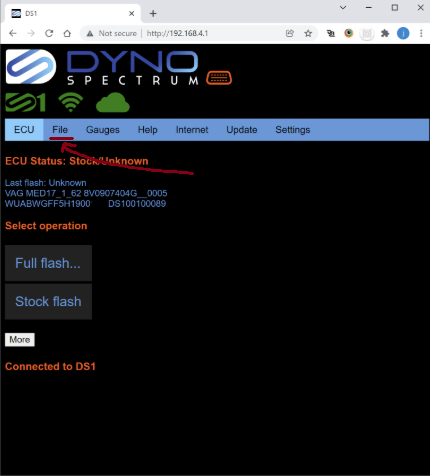
#5 – Please click download on each of the following files
- Stock Calibration
- .XDF
- Stage 3X or Stage 4X (if S6/S7/A8 Stage 4X, if RS6/RS7/S8 Stage 3X)
- Monitors.csv
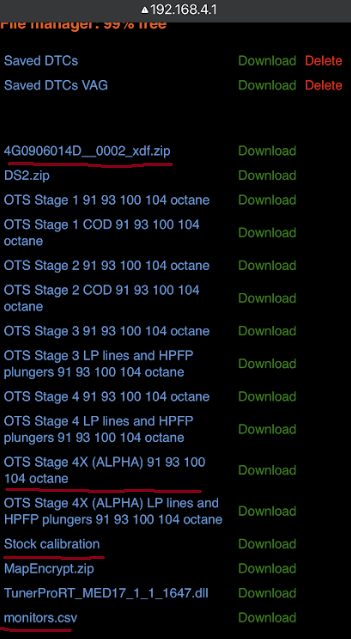
#6 – Please download and include the listed files and the DS1 serial number as well as a full modification list and reply back to our introduction email you received after purchasing the tune.
If you have any questions please email us at tuning@slavovperformance.com
We have also included a link to the DS1 user manual, we recommend reading this to see all the features of your DS1